
Want to start a blog? A forum? Want to start your own site? Well here’s how I did it and I wanted to share this with you.
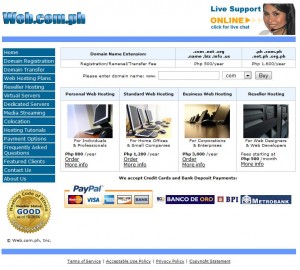 Hosting your own website would mean cashing out a bit for you to have a dot-com site you can call your own. If you’re a blogger who can invest time, money and effort on your blogging, then you better get your own dot-com site now because if you start with free hosting and THEN decide to switch, it’ll be more difficult than starting from scratch with all the fixes you’d have to do. But that’s another topic altogether.
I started my site by asking my brother (who also hosts his own site) how he did it. He taught me about web.com.ph and how he applied so that’s what I’m going to be teaching you guys today.
Go to web.com.ph and click the “Order” link on personal web hosting for individuals & professionals (800/year)
Select “I want WEB.COM.PH Inc. to register a new domain for me.” Write down your domain name on the space provided. That’s basically going to be your URL. Think hard on this because you’d want to brand yourself on the internet as your popularity goes up. You don’t want to be too common and you don’t want to be hidden from the radar either.
I’d advise you to choose the dot-com which is 500php a year. Next, check out on your order and fill up the account details with your info. Complete the order.
Next thing to do is to pay them so that your site would be up as soon as the next day (if the bank is still open, that is). They have three bank accounts: BPI, Metrobank and BDO. You have to deposit the 1,300php to one of those accounts and keep the deposit slip. You need the deposit slip because you’ll have to fax it to them, or scan it and then email it to them as proof of your purchase.
After you’ve paid, they will up your site in the next 1 or 2 days. You have to be patient because even when it’s up, they’re still tweaking it.
So that’s how to set up your own site. Simple, easy and doable. 1.3k pesos is not a big price to pay considering it runs for a year. Next off, I’ll talk about how to set up your blogsite using wordpress.